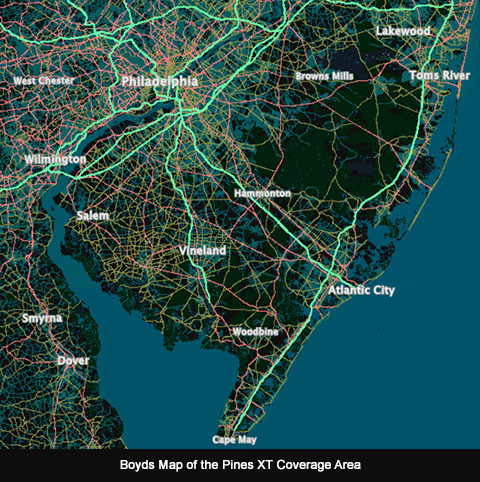
The purpose of the site is to provide a live data display to accompany maps and imagery of the Southern New Jersey region. As you browse the map, geodata on over two million features is continuously updated in the sidebar. Choose a map from the menu and just "explore" by zooming in and dragging it around. No need to click anything, the data streams constantly whenever the map moves. The main focus of the site is the New Jersey Pine Barrens, but some data is provided for portions of Pennsylvania, Delaware and Maryland.
If you're interested in small map features - like a 1/4 acre tax parcel, for example, zoom in and move the map slowly. You must zoom to a minimum of level 14 to see parcel data. The maximum resolution of the parcel data is four feet per pixel, which is the equivalent to zoom level 17. Zooming in farther won't provide any more accurate data but it may make it easier to accurately position the crosshairs. Note that parcel boundaries are shown on the following maps: S NJ 2007 Aerials/Parcels (levels 8-17), S NJ 2021 LIDAR HD (level 15-17) and 2020 S NJ Boyd Topo (level 17 only). Parcel data is only available in New Jersey.
Due to the amount of data that is displayed, the site is best experienced on a computer with a large screen (a 1920 x 1080 screen is ideal). On smaller screens, you may need to scroll the sidebar to see all of the datasets. The site has basic support for smartphones but the experience isn't optimal. You may want to turn off some of the datasets in the preferences (), so the geodata will fit on the screen without scrolling. Some older/smaller smartphones may not have enough screen space to fit all the user interface elements.
The site should be compatible with tablets, although we suggest using landscape orientation. In portrait mode, the data display moves to the bottom of the screen which works well on a phone, but on a tablet it wastes a lot of space and also requires scrolling to view all the data. Depending on the size of the tablet, some scrolling might also be required in landscape mode to view all the data.
Most of the data should be self-explanatory. To view metadata for each dataset, click on the blue header above it.
Click the button at the top right to choose a map. Available maps are similar to the main boydsmaps web app, but 3d maps aren't supported. Maps are always shown in North-up mode. All maps are constrained to the Southern New Jersey region, even if they cover a larger area. If you try to drag the map beyond this invisible boundary, it will "bounce back".
Click the button next to the Map Menu to view metadata and other information for each map.
This menu allows you to enable or disable the display of each of the nine datasets. Turning off datasets will make the site more responsive, consume less data and use less memory and other computer resources. It can also help fit the data display on smaller screens, such as phones. Your preferences are saved and remain in effect until you change them, however your web browser may automatically delete preferences if you don't visit the site often enough. If you use private/incognito browsing, your preferences will not be saved and will reset to the default each time you open a new session on the site.
Use this menu to share links to the site or view the map location on other sites.
Press this button for information about the site, including terms of use, software licenses and privacy policy.
Visit the boydsmaps forum at NJPineBarrens.com to ask questions or discuss the site.
forums.njpinebarrens.com/forums/boyds-maps-forum.39/Boyd can also be reached through the gpsfiledepot forums, where he is a moderator.
forums.gpsfiledepot.com